

The fix
This should be visible in the plugin settings... Come on Anthropic! What? Dario too busy scaring the general public?
While signed in to the account the failing session uses, open claude.ai → Settings → Capabilities. The direct link is claude.ai/settings/browser-extension.
Find Default for all sites. If it says Block all sites, Claude works only on the domains in the Allowed sites list below it.
Switch the default to allow, or click Add websites and add the domains you want Claude to use.
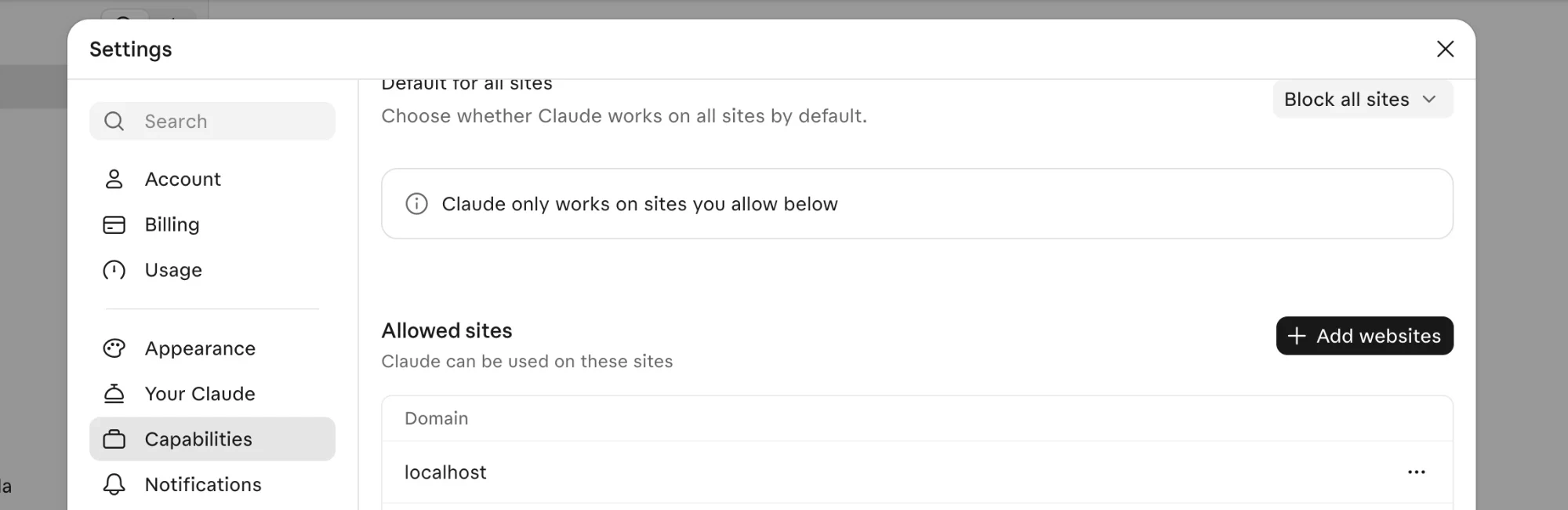
The setting on claude.ai. With Block all sites, only the Allowed sites list works.
After I changed it, the next navigation from the session went straight through.
The issue
This site is blocked by your site permissions.
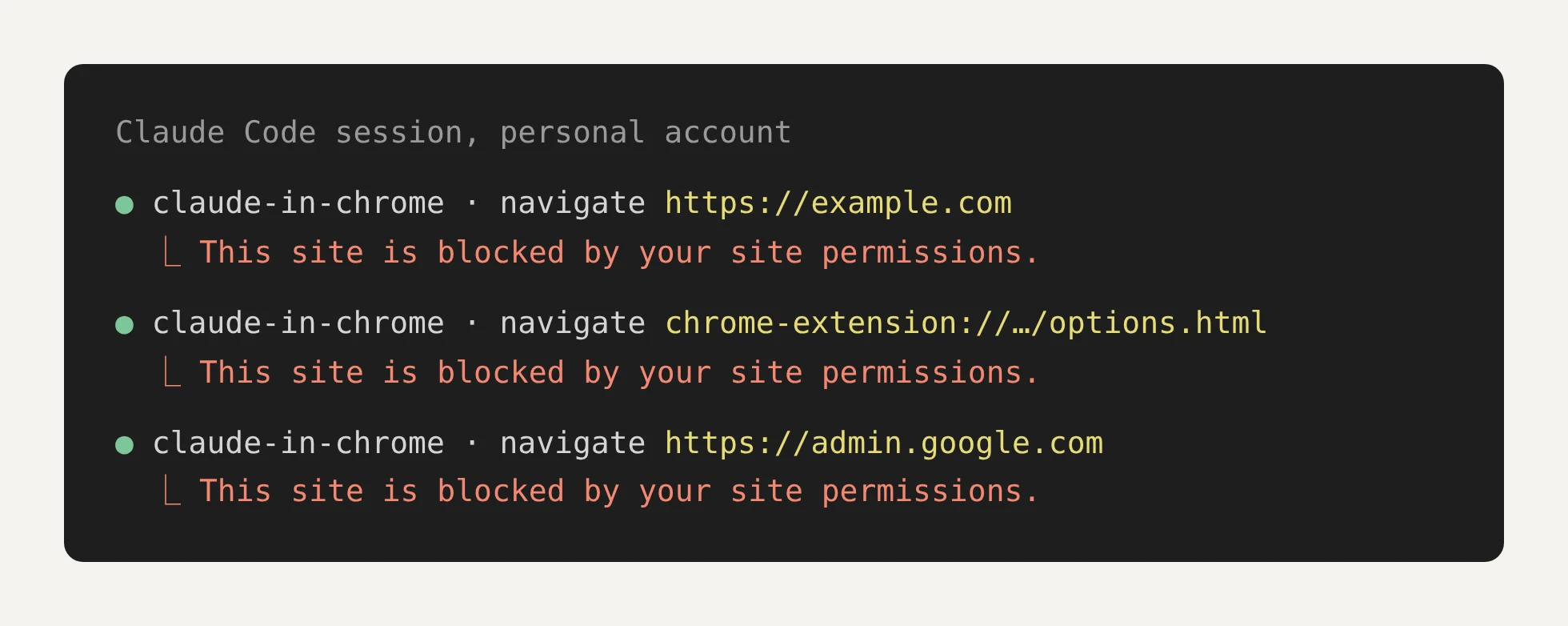
Recreated from the session log: example.com, the extension's own settings page and admin.google.com, all refused the same way.
Every site. Example.com included, and the extension's own settings page too, which is a brave position for a browser extension to take about itself 😂.
I found the fix in a single dropdown, on a page the error message never links to. That is why it took so long to find. The fix is above; here is the story.
Four symptoms pointed me the wrong way
I fell first for the side panel. It never once asked me for permission, so I assumed permissions were not the problem. When it did fail, it blamed the tab instead: asked to open admin.google.com, it reported three failed actions and suggested reloading the tab or reopening the panel. Nothing in its answer mentioned a setting.
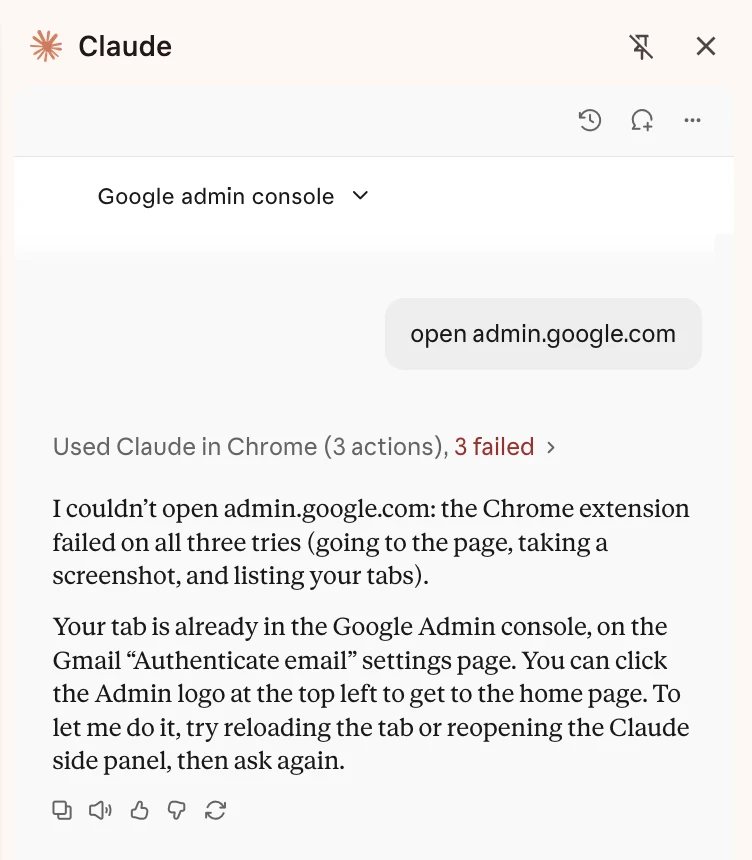
The side panel on admin.google.com: three failed actions, and advice to reload the tab.
Then the extension's settings looked clean. Its Permissions page showed "Your approved sites: No sites have been approved yet", with no blocked list and no button to add a site. Its Options page listed a keyboard shortcut and nothing else. The author of an April report on GitHub found the same empty page and asked for an allowlist that could be edited. So "your site permissions" seemed to point at a list that was empty and could not be changed.
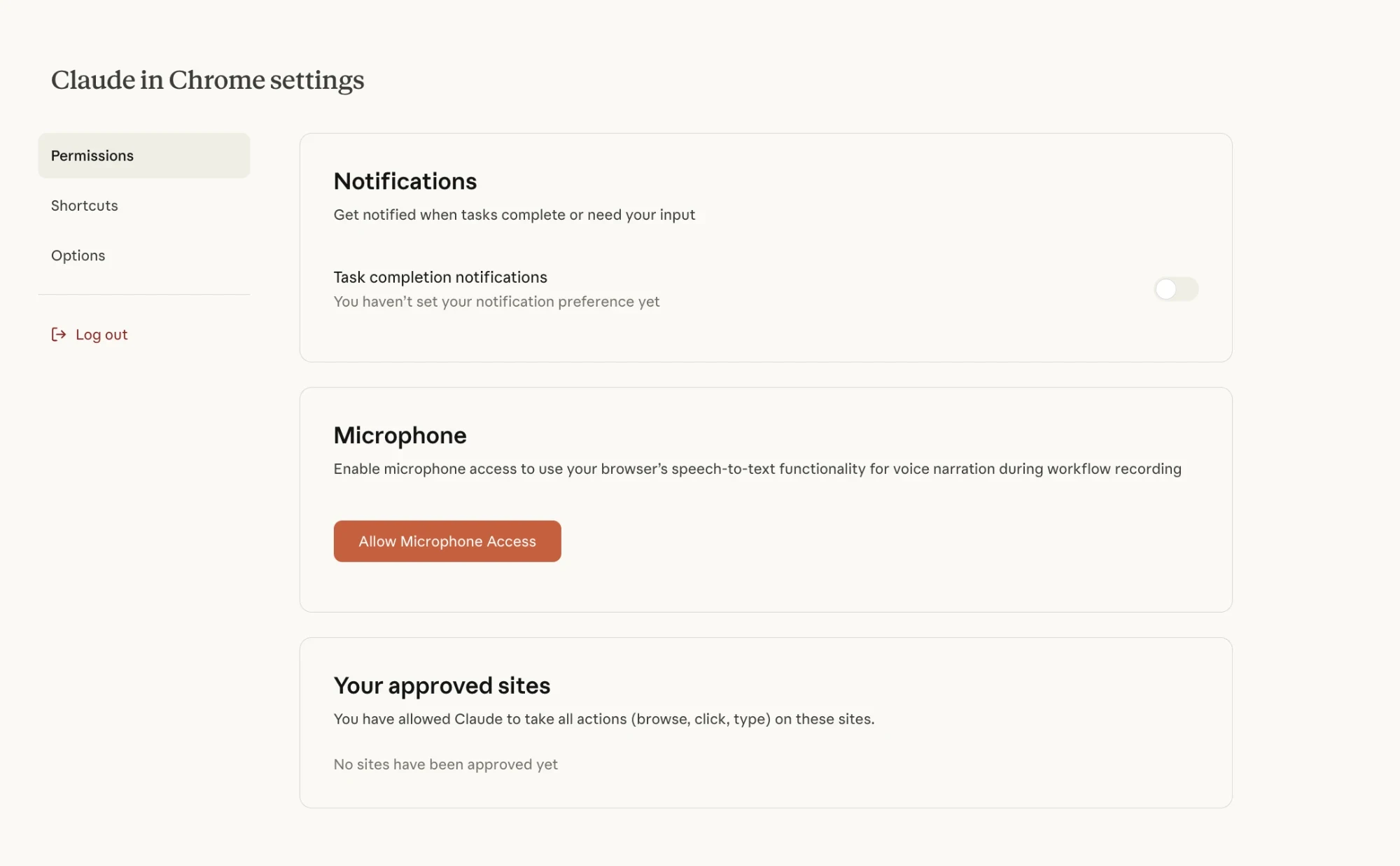
The extension's Permissions page: an empty approved list, no blocked list, no way to add a site.
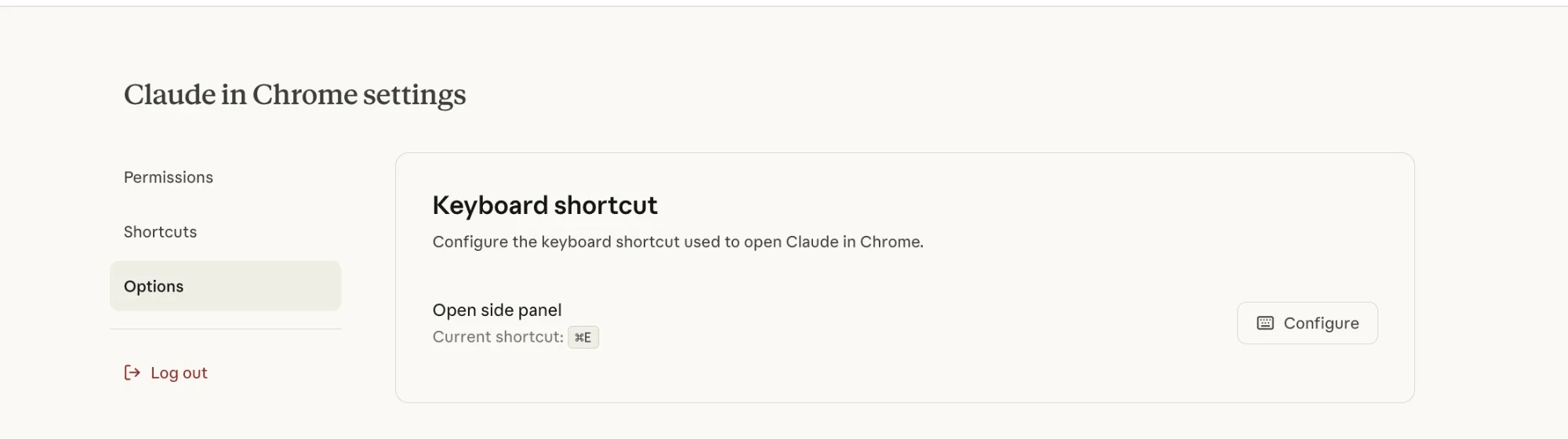
The Options page: one keyboard shortcut.
The infuriating part 😡🤬🤬🤬
Claude itself kept sending me back to those same pages. Every time I asked the desktop app for help, it suggested some version of the same steps: open the side panel, find a blocked list, remove a block on all sites, or approve a site by hand with "Always allow". Those steps describe controls the extension does not have, so each round ended where it started.
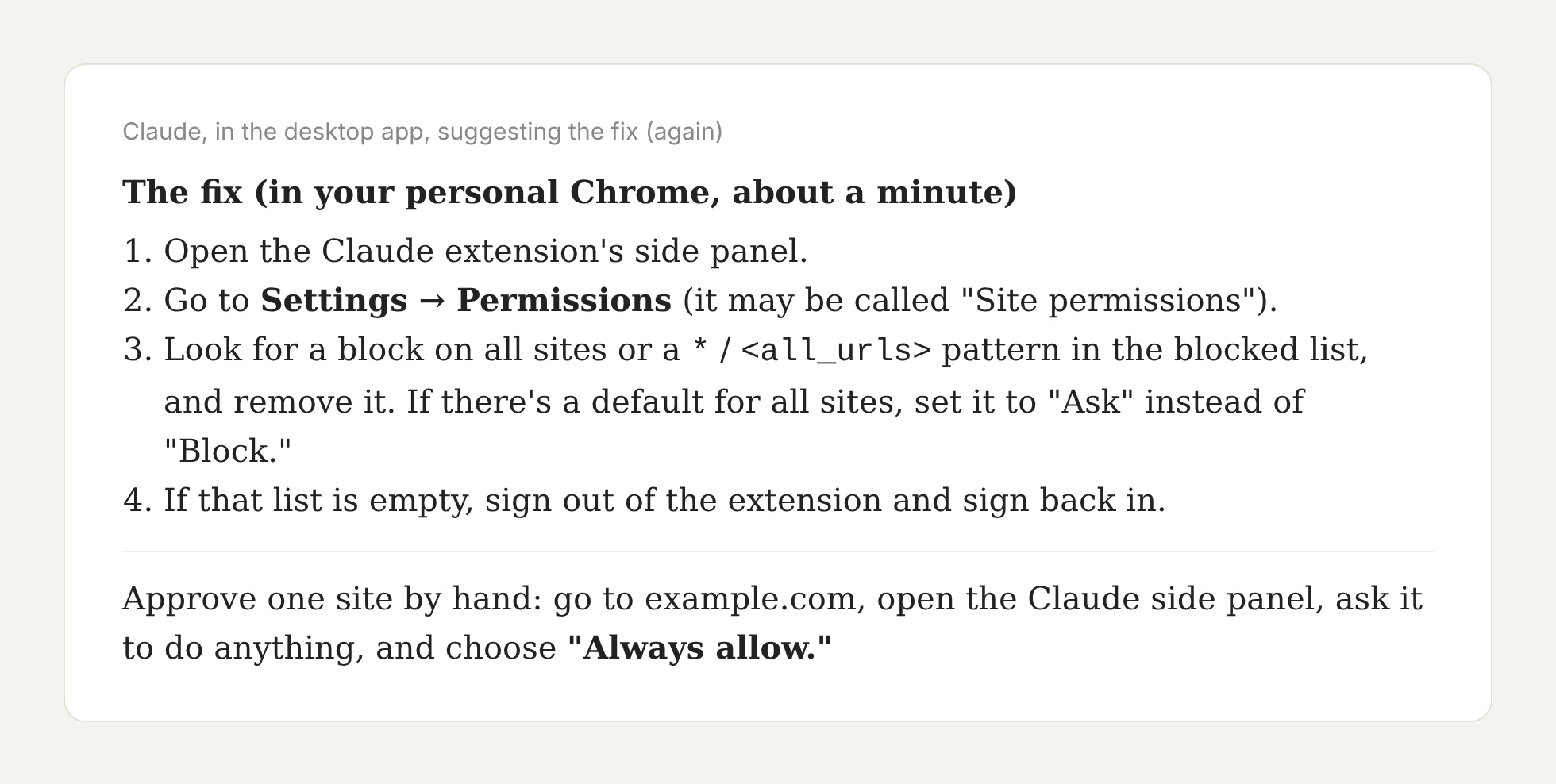
Recreated from the session: the steps Claude kept suggesting, all aimed at the extension.
The approval prompt never showed up either. My sessions ran in the background and had no way to put an "Allow this site?" box in front of me, so each request failed without a prompt.
And reinstalling did nothing. I wiped the extension, the Chrome profile and the app, and the block came back every time. The setting lives on the Claude account, and none of those things touch it.
A second account cracked it
I now remember what happened exactly. Early on when I was testing this, I didn't trust the agent, so I set it to always block, because my main Chrome account is signed in to too many sites and I didn't want an agent snooping around. I know how data-hungry these labs are, so it seemed like the right thing to do.
But a few weeks later, I didn't feel as strongly about my work account, because it wasn't signed in to anything. Gmail is unused, Notion is not signed in. It's just a Chrome shell I use for testing client work with their accounts, so it was fine.
On that work profile, Claude always worked in Chrome and it was always super helpful, which is why I kept coming back and trying again. Only a couple of hours ago did I finally figure it out... I feel so stupid.
Same Mac, same Chrome, same desktop app. When I switched the desktop app to my work Claude account, Claude in Chrome worked. Back on the personal account, everything was blocked again.
That ruled out the machine. Before it, I had already crossed off Chrome enterprise policies (none), MDM profiles (none), the native messaging bridge (installed, and shared by both accounts) and the desktop app's own Chrome permission mode (identical for both). The only thing left that changed with a login was a setting stored on the account. And there it was. The personal account had Default for all sites: Block all sites, with a short allow-list that left out every site I had been testing.
The issue tracker went in circles
Plenty of reports went quiet and a bot closed them for inactivity. A related July report, with every domain blocked and google.com among them, was folded into an older issue as a duplicate.
I (like every other human being) used a separate Chrome profile for months. One Salesforce user on a Team plan watched a colleague's session read the same CRM pages theirs was denied, with "On all sites" switched on for both, and blamed a server-side classifier. But if your sessions are blocked on every site and the extension's permission page is empty, check the account setting first. It takes a minute.
One link would have saved months
"Blocked by your site permissions" was technically true. I still had no idea which permissions it meant, and the only permissions screen I could find was the wrong one. I think an error message should name the place where the setting lives and link to it, and this one shows what happens when it doesn't. A single link to the right settings page would have spared me months of a spare Chrome profile, and spared the issue tracker a good few hundred comments from people reinstalling things that were never broken.
Did this solve the issue for you
If you did, share the article link on your website or social media. it helps our the site 😉